Seedance 2.5 · OpenArt
Snap your fingers, a car flies over you
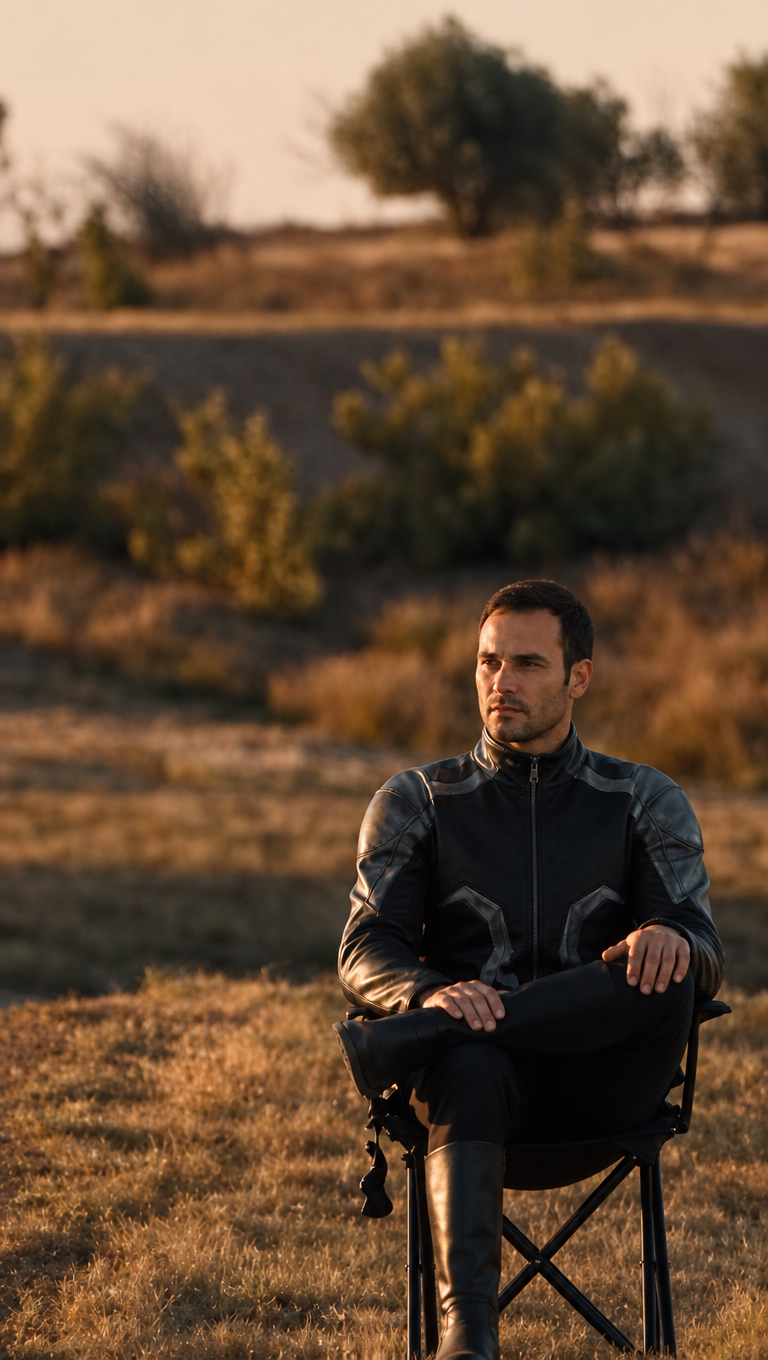
You sit calmly in a chair, snap your fingers, and a car launches over the hill behind you in slow motion. Your own face and your own car, one continuous shot with Seedance 2.5 on OpenArt.
You can also do it on SyntxSource files
Download the files and upload them straight to the generator.
- Tool
- OpenArt Text to Video
- Model
- Seedance 2.5
- Length · Ratio
- 12 s · 9:16
- Input
- 1 video + 3 images
- Resolution
- 720p
- Cost
- 720p ≈ 1565 credits · 480p ≈ 725 credits
How-to video
Step by step
Download the motion source
Download the video below. The seated person's face is blurred on purpose, so the model does not carry their face shape onto yours.
Prepare your car
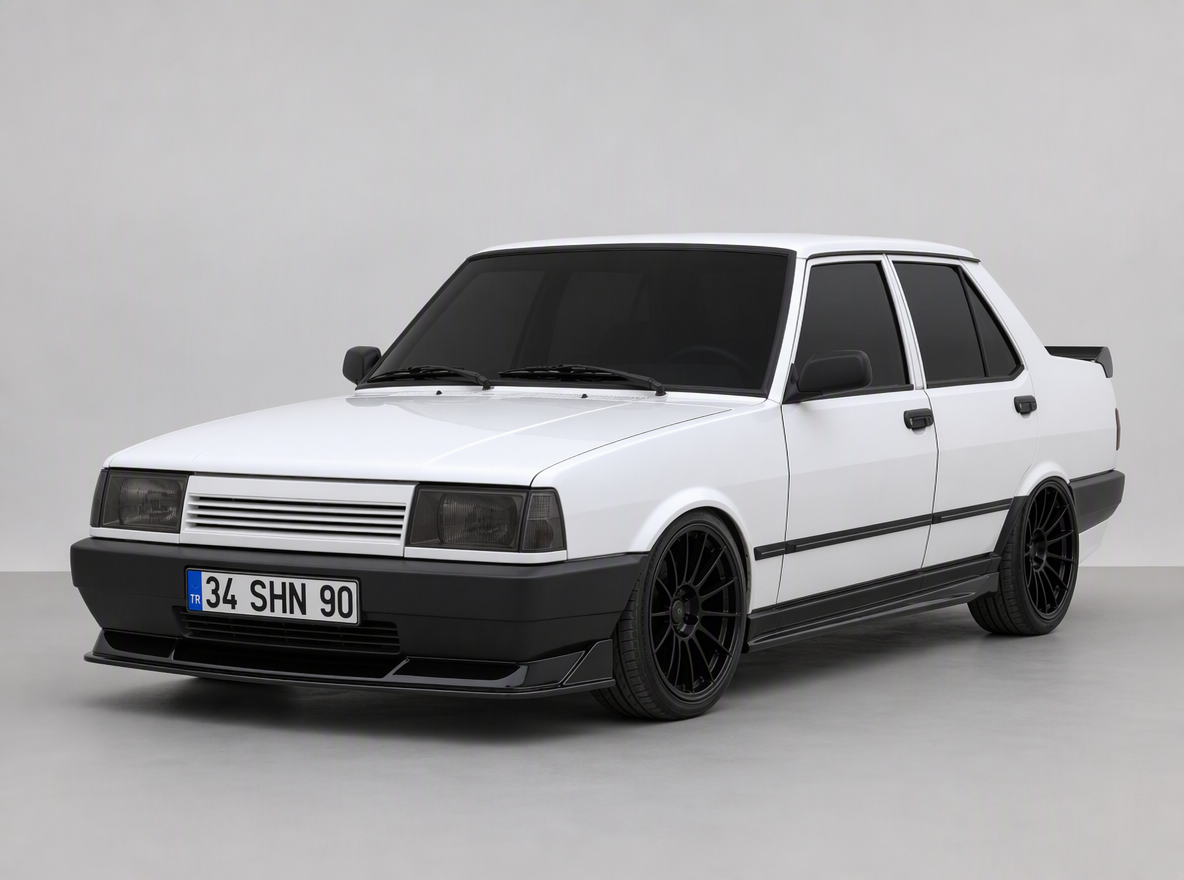
Generate your car with GPT Image 2 on a plain grey studio background, front three-quarter view. Put the plate and any mods in this image; the video copies it exactly.
Put yourself in the scene
Give GPT Image 2 Image Edit the first frame of the video and a clear, glasses-free photo of your face. Have it seat you in the chair with the same pose and light, without changing the framing. This frame is what makes the face swap hold.
Generate on OpenArt
Video → Text to Video → Seedance 2.5. Upload in order: video, you in the scene, your car, your face photo. Paste the prompt; set length to 12 s, ratio to 9:16, resolution to 720p and generate.
Copy and paste
Use the prompt as is. No need to describe your characters.
Video1 is the source clip: keep every frame's timing, camera movement, composition, dust, lighting and background exactly. The seated person's face in Video1 is blurred on purpose: it is only a placeholder, never copy its shape.
Image1 shows who sits in the chair and their outfit: completely replace the seated person with the person from Image1 in every frame, with the same hair, clothing and shoes as in Image1.
Image3 is the face identity: the face in every frame must match Image3 exactly, the same face shape, jaw, eyes, eyebrows, hair and skin tone. The face must stay sharp and consistent, especially in the final close-up.
They perform the same actions as in Video1: legs crossed, raises the right hand and snaps the fingers at 3.8 seconds, stays perfectly calm while the car flies overhead, then turns the head toward the camera at the end.
Image2 is the car: completely replace the flying car with the car from Image2 in every frame, keeping its exact body shape, colour, wheels and license plate. Same jump, hang time and landing as in Video1.
Nothing of the original person or the original car remains: no blur, no long hair unless it is in Image1, no ponytail unless it is in Image1, no other car brand, no logo.
Image upload order
- Image 1Motion source video
- Image 2You in the scene (placed into the first frame)
- Image 3Your car
- Image 4A clear photo of your face
Tips
Image1 is a scene frame, not a portrait
Place your character into the video's first frame with the same pose and light. The model matches the person in the video to the person in this image.
Add your face photo separately
Your face is small in the scene frame. Adding a clear portrait as the 4th image keeps your face consistent in every frame.
Use 720p
At 480p the face is only a few dozen pixels and the model invents details. At 720p your face stays sharp in the final close-up.
Set the length to 12 seconds
OpenArt opens at 5 seconds and 16:9. At 5 seconds the video ends before the car even takes off; set 12 seconds and 9:16.
Realistic plates
Turkish plates never use Ç, Ğ, İ, Ö, Ş, Ü. Write something like 34 SHN 90 so it looks real.
Motion source: Syntx template library
Some links on this page are affiliate links.